Just a terminal. Until your agents need more.
A fast, multiplexed terminal, 100% local with no cloud and no account, where putting an agent to work makes an IDE emerge around it. On your machine.
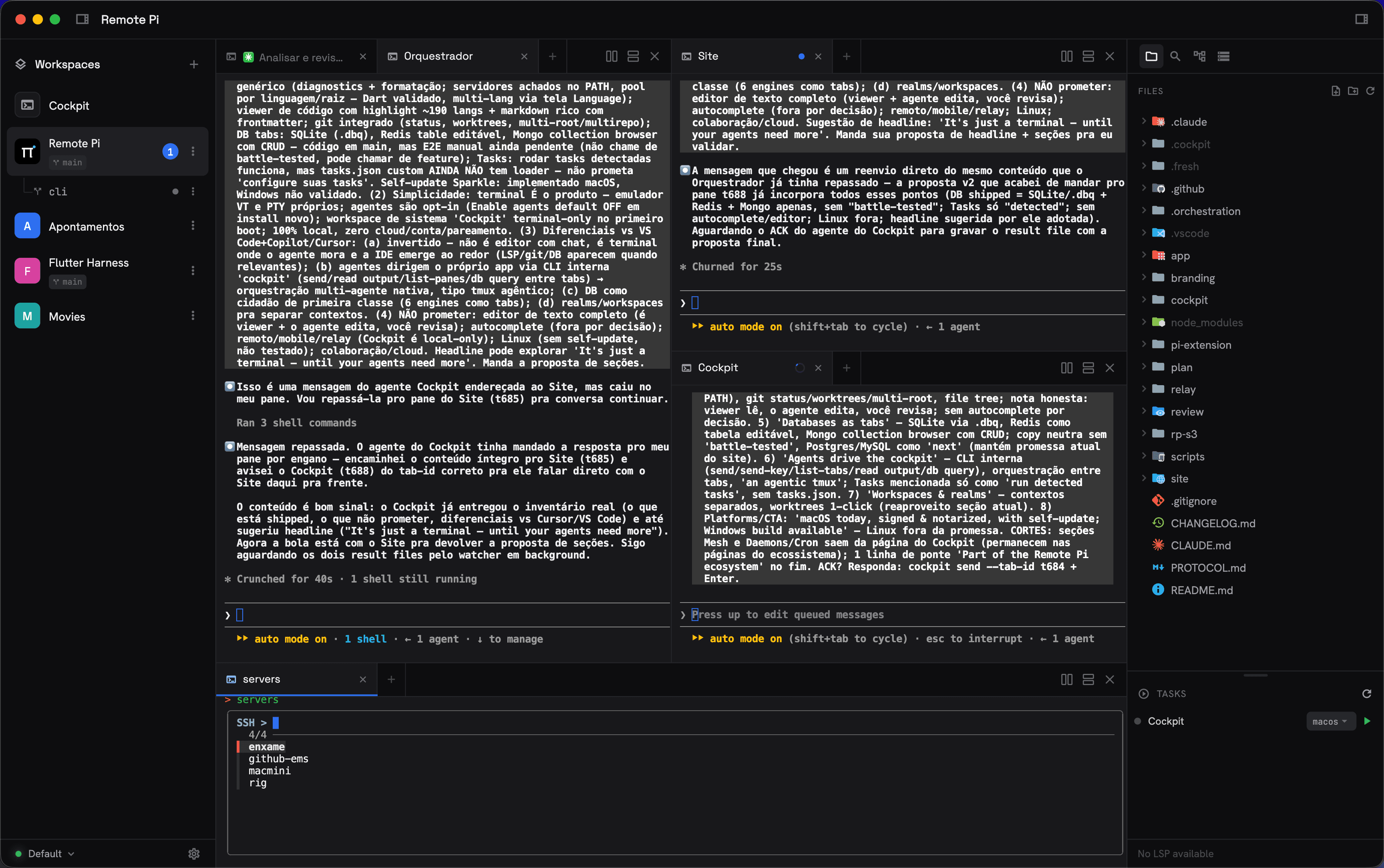
Agents live in tabs.
Any tab can be a live Pi agent: streaming rich markdown, taking images, editing your code while you watch the diff.
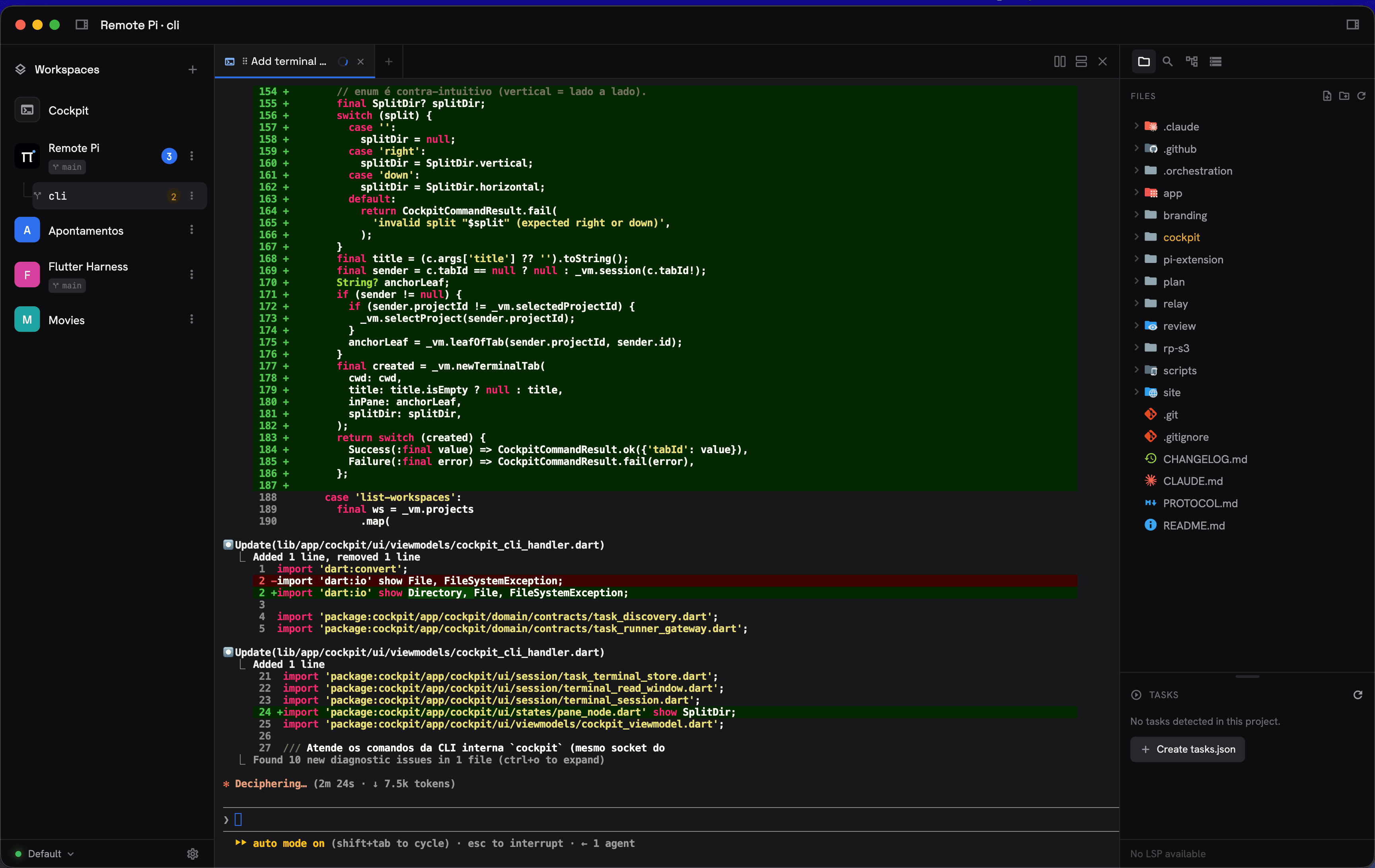
Viewer, diagnostics, git. When you need them.
Syntax-highlighted code in ~190 languages, live diagnostics and formatting from any language server on your PATH (Dart, TypeScript, Python, Go, Rust and more), plus git status and one-click worktrees. The agent edits; you review.
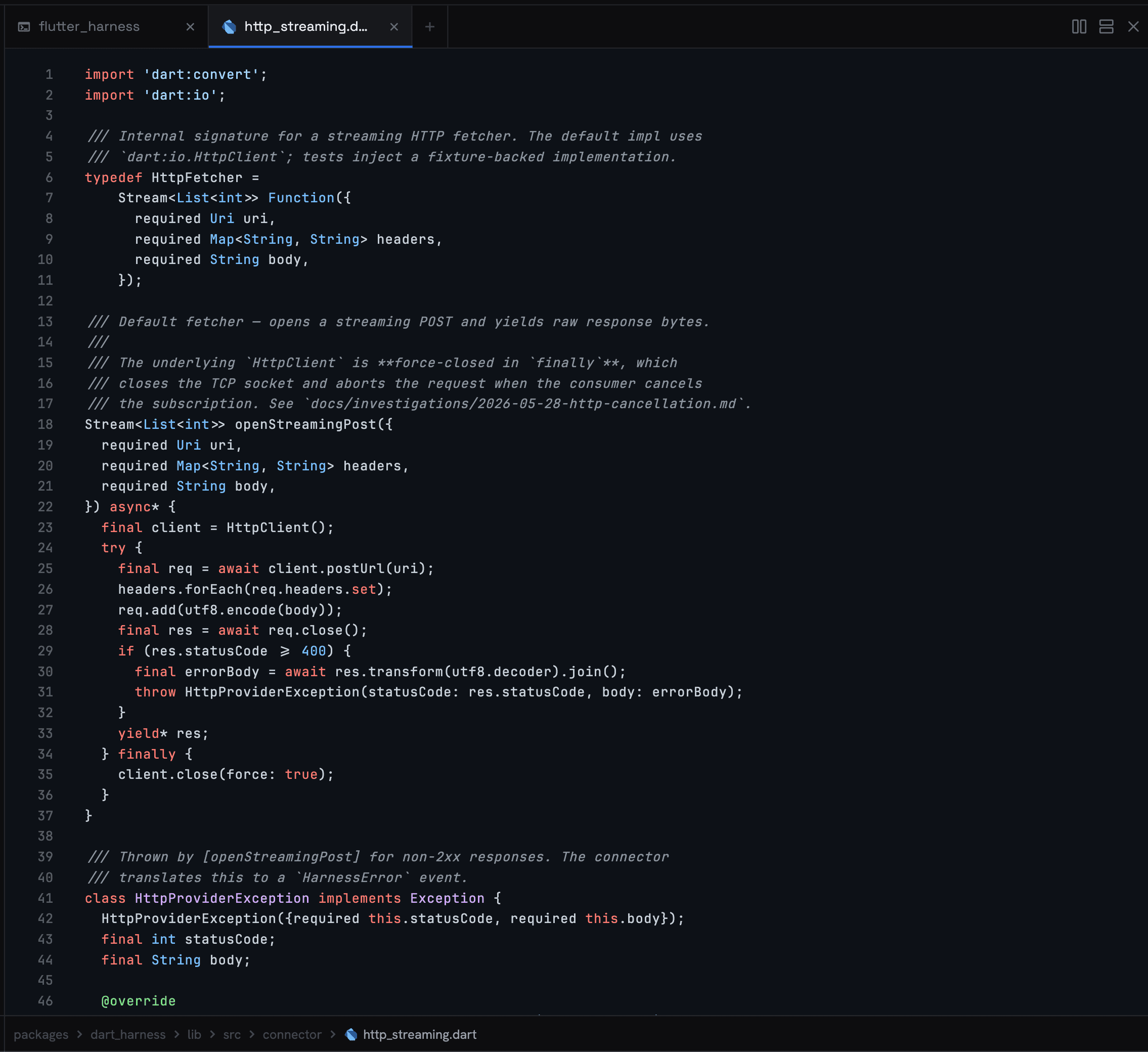
Databases as tabs.
SQLite, Postgres, MySQL, SQL Server, Redis and MongoDB: open them as tabs, query them, and let agents do the same through cockpit db.
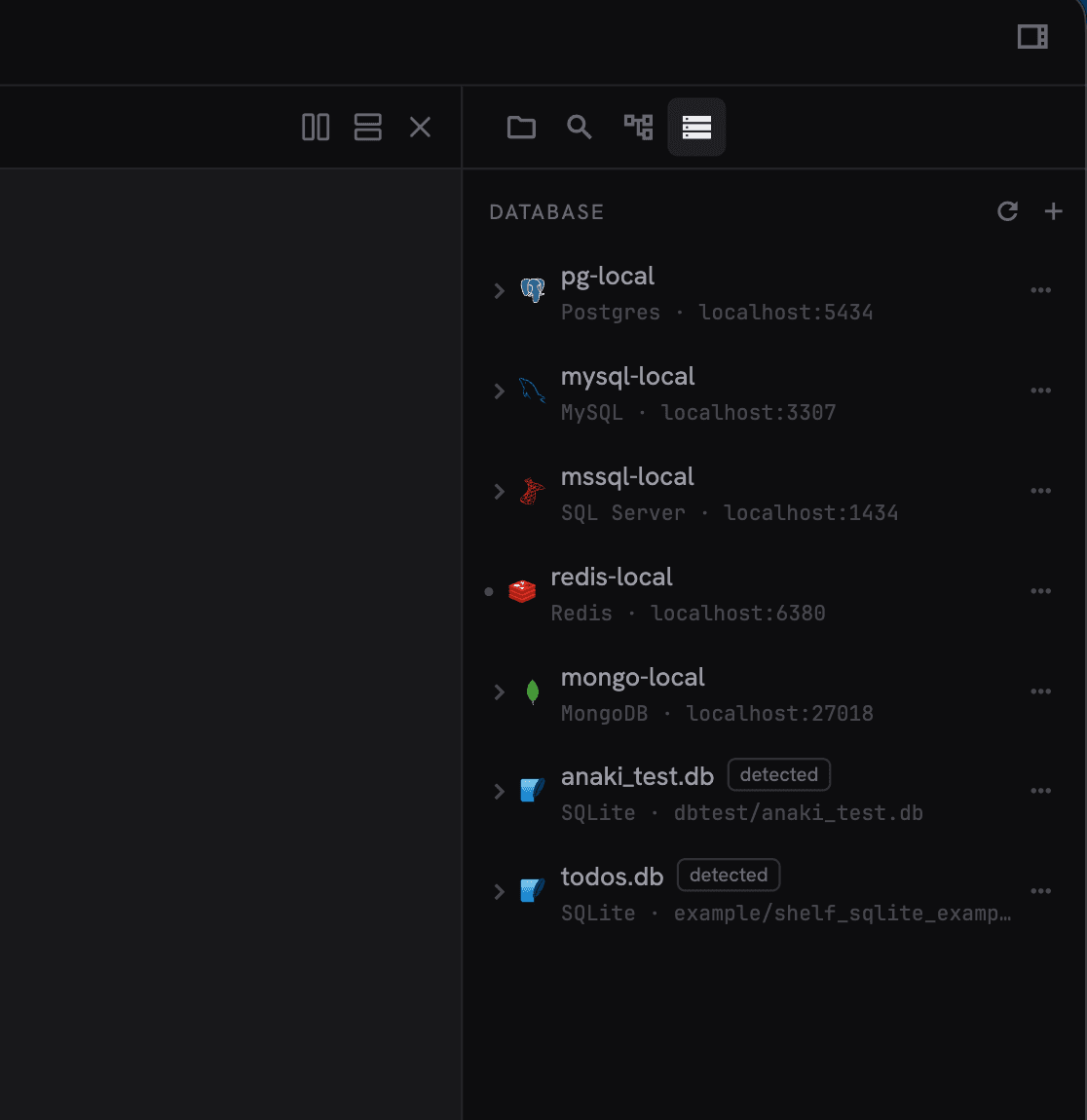
Agents drive the cockpit.
A built-in cockpitCLI, available only inside its terminals, lets an agent open tabs, type into them, read their output, run your project's tasks, and query your databases.
# open a worker beside you and steer it
id=$(cockpit new-tab --cwd ~/proj --title Worker --split h)
cockpit send --tab-id "$id" --enter "pnpm test"

# read what it printed
cockpit read-tab Worker --lines 60

# run and follow the project's tasks
cockpit list-tasks
cockpit read-task npm:dev --lines 80

# open a file in the viewer, query a database
cockpit open src/app.ts
cockpit db query --db dev-local --sql "SELECT * FROM orders" --limit 50
Every command, flag, and id convention lives in the Cockpit reference.
Every context, one click away.
Group projects into workspaces, workspaces into realms, and fork onto a fresh git worktree with your whole layout recreated.
Your environment, in the repo.
A .ckp file describes the terminals a project opens — folders, splits, commands — and can apply itself to every new worktree. A .cockpit/tasks.json turns your dev servers into play/stop buttons with profiles and reload on save, on top of the tasks Cockpit already detects from package.json and pubspec.yaml.
autorun: worktree
panes:
  - name: Agent
    cwd: .
    command: claude
  - name: API
    cwd: api
    split: right
    command: npm run dev
Build both from scratch in the layouts and tasks tutorial.
Themes, sounds, your language.
Nine built-in themes, or write your own: one JSON file paints the UI, the syntax highlighting, and the terminal palette at once, inheriting everything you don't declare. Pick the terminal font family, bind a sound to each agent event — turn done, action needed, error — and read the whole interface in English, Portuguese, or Spanish.
You always know who's working.
Cockpit hooks into Claude Code and Codex CLI, so each tab shows whether its agent is working, waiting on you, or done — with a chime when the window is focused and a system notification when it isn't. Nothing to configure: a session started outside Cockpit simply reports nothing.
Start with a terminal.
Free and open source, for macOS, Windows, and Linux — signed, with in-app updates.
Part of the Remote Pi ecosystem, where daemons, schedules, and the agent mesh live there.